
iWPhone WordPress Plugin and Theme

iwphone_on_iphone.jpg

WordPress 2.5 Compatible

What Does the iWPhone WordPress Plugin and Theme Do?

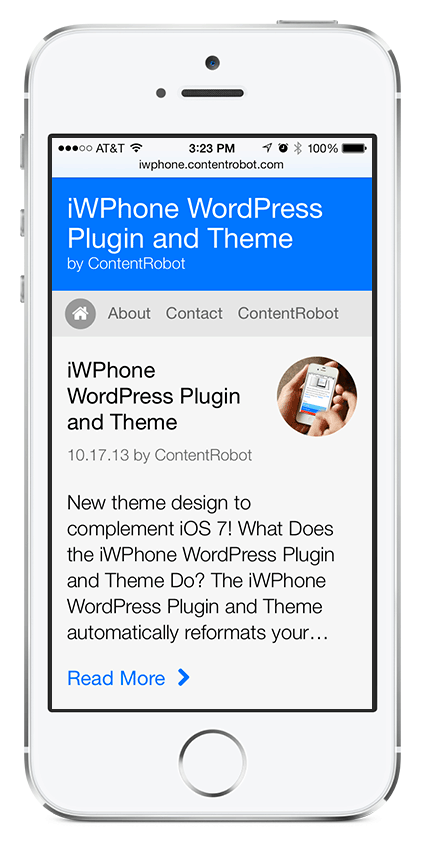
The iWPhone WordPress Plugin and Theme automatically reformats your blog’s content for optimized viewing on Apple’s iPhone and iPod touch. It detects the iPhone/iPod touch’s User Agent and serves up the content with the special theme only to iPhone and iPod touch visitors, all other browsers will view your WordPress blog with your current theme.
Please keep in mind that this is an early beta release (v0.1.2) and provides basic WordPress functionality. We will be enhancing it quite a bit, so keep checking back for an updated version. If there is a feature that you want added, let us know in the comments below and we will do our best to implement it. Also, if you are using our plugin/theme on your site, add its URL to the comments.

Why Would I Want to Use This Plugin?

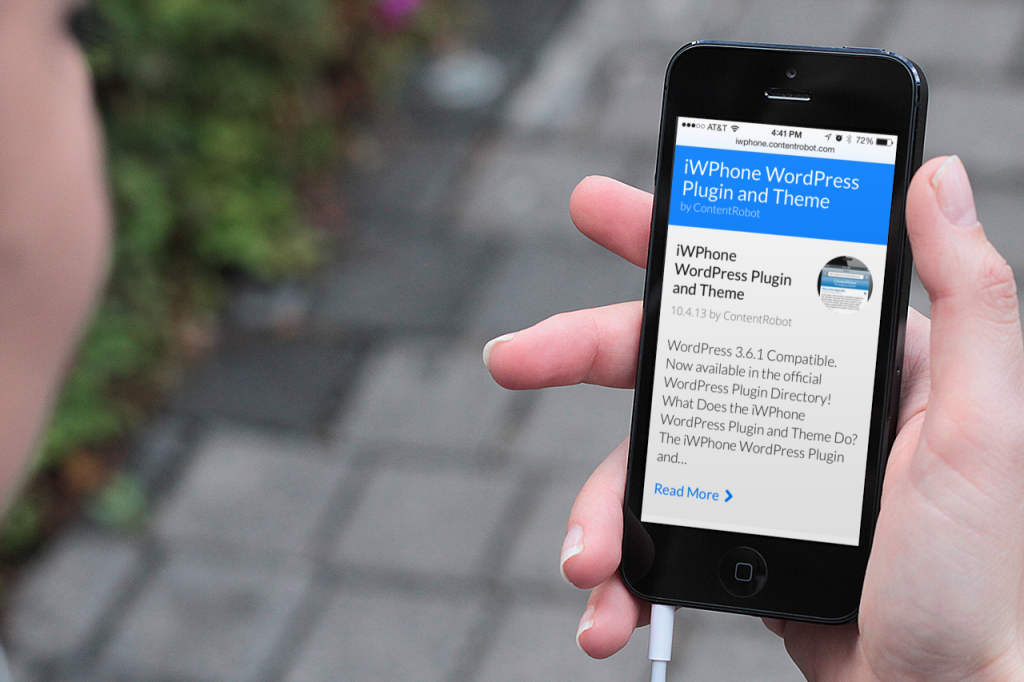
While the iPhone and iPod touch do an amazing job of displaying web pages the way they were designed to be seen, often visitors want quick access to your website’s content. The “iWPhone WordPress Plugin and Theme” displays an optimized version of your blog’s content, formatted perfectly to fit the iPhone/iPod touch’s screen – no zooming in to read the content is necessary.
Demo Sites

Our friends over at GrokDotCom and Bazaarvoice have graciously volunteered to beta test our plugin/theme. Point your iPhone’s Safari browser at http://www.grokdotcom.com/ or http://www.bazaarblog.com/ to see it in action.

Tip: If you want to preview a site that is using our plugin and do not have an iPhone/iPod touch, the program iPhoney gives a pretty good idea of how it will look. Make sure the option “iPhone User Agent” is selected under the iPhoney menu. You will get the best results with iPhoney if you have the Safari 3 beta installed. iPhoney is currently only available for the Mac.

Will it Work on My WordPress blog?

The current version (v0.1.2) has been tested with WordPress 2.0.4 – 2.5

Feature List

  • Formats your blog content for optimized viewing on the iPhone and iPod touch.
  • Automatically detects the iPhone/iPod touch’s Safari browser and only displays the custom theme to iPhone and iPod touch visitors, other visitors get your standard theme.
  • Simple iPhone/iPod-like theme with common interface elements that compliments the iPhone/iPod touch’s internal applications.
  • Images larger then 300 pixels wide are automatically scaled down to fit the iPhone/iPod touch optimized width.

Requirements

  • WordPress 2.0.4 – 2.5
  • An iPhone or iPod touch (for viewing)

Installation

  1. Download the iWPhone WordPress Plugin and Theme zip file.
  2. Extract the “iwphone-wordpress-plugin-and-theme” folder.
  3. Locate the file “iwphone.php” inside the “iwphone-wordpress-plugin-and-theme” folder and upload it into your wp-content/plugins/ directory.
  4. Locate and upload the entire folder named “iwphone-by-contentrobot” into your wp-content/themes/ directory.
  5. Go to your WordPress administration area and click on Plugins and activate the plugin called “iWPhone”. Do NOT make the iWPhone-by-ContentRobot theme the current theme under Presentation.
  6. Launch Safari on an iPhone or iPod touch and enter your blog’s URL, and you should now see your content in the iPhone/iPod touch-optimized theme.

Upgrade Instructions

If you are currently using an older version of the iWPhone WordPress Plugin and Theme, simply deactivate the old plugin in the WordPress administration area, and then overwrite the older “iwphone.php” file in the wp-content/plugins/ directory and the “iwphone-by-contentrobot” folder in the wp-content/themes/ directory with the new ones. Activate the new version and you are now iPhone and iPod touch ready!

Version History

  • Version 0.1.2: (September 17, 2007) Update to support iPod touch
  • Version 0.1.1: (July 6, 2007) Viewport update to allow zooming
  • Version 0.1: (July 4, 2007) Initial Release

Known Issues

  • Not compatible with wp-cache.
  • Long URLs in posts will push pages wider then the iPhone/iPod touch optimized width.

To Do / Wish List

Here are some suggested enhancements that we are looking into for future releases.

  • iPod touch support. ADDED!
  • A clickable link or button that allows site visitors to switch between iPhone/iPod touch theme and normal site theme.
  • Ability to show Categories and Pages
  • Search functionality
  • An admin configuration screen that allows easy changing of various settings like header, footer and link colors.
  • A mechanism to gracefully remove/hide all content-types not currently supported on the iPhone/iPod touch (flash embeds and other non-supported formats/plugins)
  • An admin version (wp-admin) that allows WordPress administration and posting within the iWPhone interface
  • wp-cache compatibility

Bugs/Comments

Please post bugs or general comments in the comments section.

Donate

If you enjoy using this plugin or appreciate the hard work that goes into developing and maintaining it for the community, please consider donating. All funds will go into the support, maintenance, and development of future releases. Thanks for your support!

Note: This 3rd party plugin was not created by or is in any way affiliated with Apple Inc.

61 thoughts on “iWPhone WordPress Plugin and Theme

  1. Pingback: Make your WordPress Blog iPhone friendly at Mindless Jabber

  2. Pingback: Andy’s iPhone Blog » Blog Archive » WordPress Plugin and Theme for iPhone

  3. Pingback: Le blog d’Antoine » Blog compatible iPhone !

  4. Pingback: Help us test the site on the iPhone (if you can...)

  5. Pingback: Designing For The iPhone - Birmingham Web Designer Jeremy Flint

    • Jeremy: We checked out your site and the pages that use the archive.php and single.php template files seem to work fine for us. Let us know if you are still having issues.

  6. Pingback: AJAX4iPhone now iPhone enabled at AJAX 4 iPhone

  7. Feature request: I’m echoing a previous comment in that I think it would be awesome if the person browsing your site on an iPhone was given the option to either choose the iPhone version, or the standard version.

    Although I think you guys did a great job with the plugin, and I think it’s a good idea, the wow factor in browsing the internet on an iPhone is it is the “real” internet. So, seeing the real thing should always be an option.

    Just my 2 cents. Keep up the good work.

  8. Great plugin! I installed it on my site and it worked perfectly. Several hours later, it stopped working and my site was using my regular theme again when viewing it on the iphone. I deactivated and reactivated the plugin, but I still can not get it to work any more.

    I just read about someone else having this same problem over at weblog tools collection.

    Do you have any idea why this might be happening and how to fix it? Thanks very much.

    • We emailed Lori directly about this issue and she was running 2.2.1-RC1. She updated to the final 2.2.1 and everything seems to be working now.

  9. Pingback: IPhone Optimized Blog | The Fatty Talks by Adam Hirsch

    • Jeremy: We just checked your site and it is working. Make sure the option “iPhone User Agent” is selected under the iPhoney menu.

  10. Pingback: iPhoney - Birmingham Web Designer Jeremy Flint

  11. Pingback: » The Web Optimist on iPhone: Search Engine Optimization, SEO Training and Search Marketing by The Web Optimist of Palm Springs

  12. I had a comment from one of our readers at http://www.macnightowl.com with regard to how our site looks with your plug-in.

    I think this brings up some things that might require checking:

    “Site looks good on iPhone; content is readable without magnification. Tried to send this comment from the phone, but was unable. Spam protection line was not visible, and text box would not work on the phone, so am sending this from my Mac.”

    Any suggestions or does this require an update to this plug-in?

    Peace,
    Gene

  13. I’m definitely going to put this on my site (still setting it up); great work!

    I would love to second the request for an admin version of this sort of thing. I would really love to be able to administer and _post_ from the iPhone using the WP tools in an iPhone friendly way ….

  14. Pingback: GrokDotCom Is First To Be Optimized for iPhone

  15. Plugin is nice but I agree with everyone that it needs the option to turn it off inside the iPhone. Also a categories option and search function are desperately needed. Iwould also like the option to navigate to other pages on my blog.

  16. I would love to have an option to make this theme version available for all mobile browsers (ie other cell phones). Plus I would like the option to view the site in normal mode as well.

    • Peter: We will look into what’s involved in making the theme available for other mobile browsers. Thanks for the suggestion.

  17. Pingback: » Mobile to the iExtreme Musings of a Wired Pig 2.0: The Musings of a Techie Ex-Cop.

  18. Pingback: Se o iPhone não vêm ao iPodJesus...

  19. love the idea you have presented here.
    I currently use wp-pda for mobile device reformatting. I’ll be adding your plugin to see how well they interact. Hopefully well. I’ll keep you posted.
    -WP-

  20. Pingback: iPhone Theme and Plugin · djanggo.com

  21. Pingback: Now new design optimiced for your iphone in MinimalNet! at MinimalNet

  22. I have installed your plug-in and theme at http://www.macnightowl.com and iPhone users are welcome to check it out and let me know how it works. I have put an “optimized for iPhone” reference in our footer, and will provide a link direct to this site once things are further along in development.

    I also agree with the suggestion that there ought to be an option to view the regular site on an iPhone.

    Peace,
    Gene Steinberg

  23. Pingback: iPhoneJuicer » Blog Archive » WodPress Plugin To Get Your Site Looking Great On The iPhone

  24. Pingback: TechJuicer » WodPress Plugin To Get Your Site Looking Great On The iPhone

  25. Pingback: Seu blog funciona no Iphone? | Bruno Godoi

  26. Pingback: Adaptar blog al navegador del iPhone

  27. Pingback: Internet Marketing Blog, Internet Marketing, SEO Blog - Virtual Marketing Blog

  28. I don’t know if it’s being implemented but how about a “back link” to the old theme. Perhaps some users want to see the site not in the iPhone mode but in the normal mode.

    If you’re visiting my site with a PDA (or mobile phone) you are using an optimized PDA-theme. But if you want you can switch back – and back and back and back… as you want.

    • Jens: We did think about that when developing the plugin. One of the iPhone’s best features is being able to view full websites. It is on our “To Do” list and should show up in a future release. Thanks for your interest.

  29. Pingback: Handras.hu az iPhone-on at Handras

  30. Pingback: this Blog on an iPhone (http://www.cogmios.nl - Edward de Leau)

  31. Pingback: AutoFormat your Blog for Apple’s iPhone

    • Tony: iPhoney was a big help in developing iWPhone. We added a tip about previewing sites with iPhoney to our post – thanks.

  32. Pingback: iWPhone Wordpress Plugin | gEEK tHE pLANET

Leave a Reply

Your email address will not be published. Required fields are marked *

*

You may use these HTML tags and attributes: <a href="" title=""> <abbr title=""> <acronym title=""> <b> <blockquote cite=""> <cite> <code> <del datetime=""> <em> <i> <q cite=""> <strike> <strong>